
Creative Tech / UI Design
Design System Tutorial
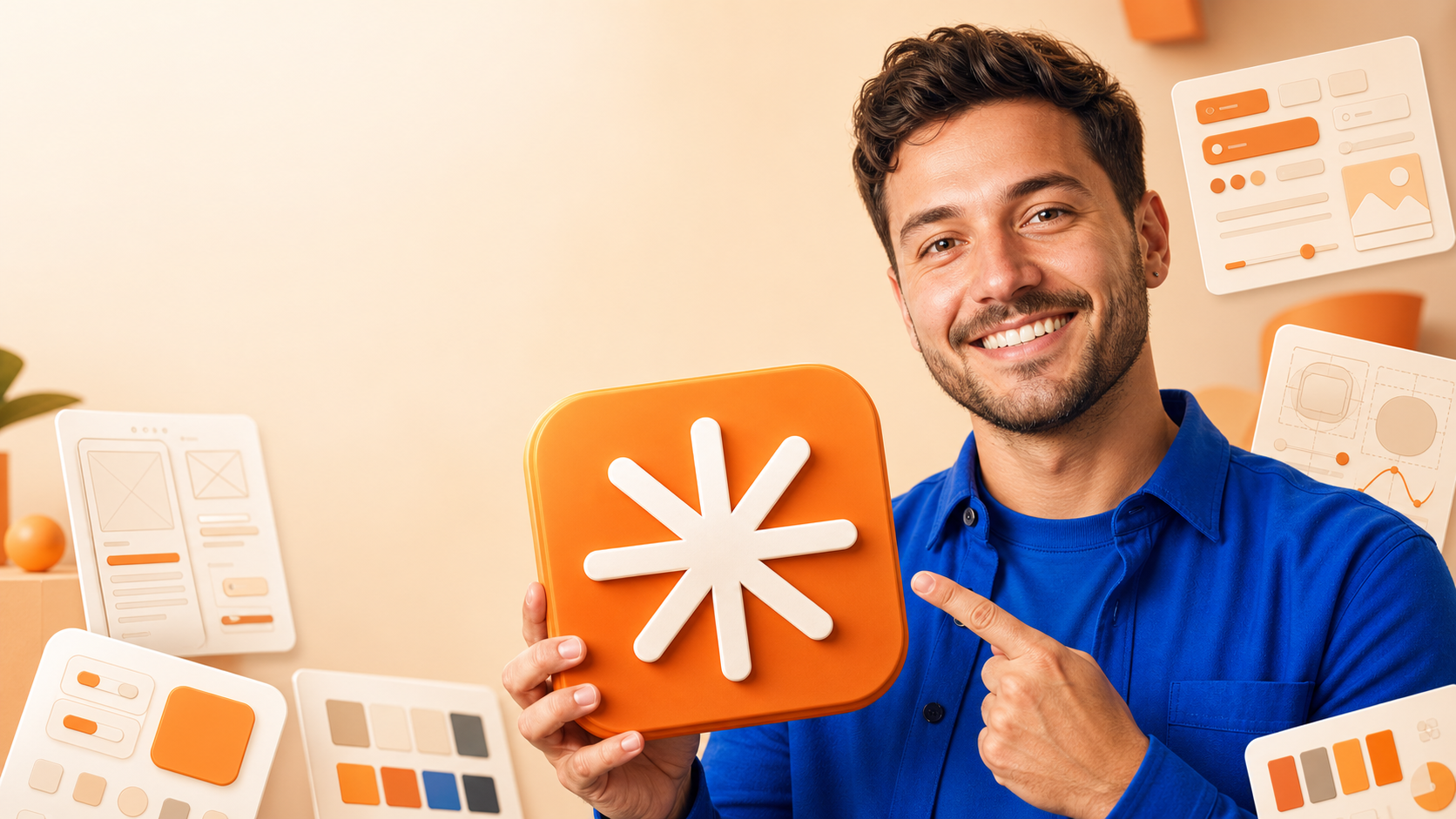
A warm editorial design-tutorial thumbnail pairing a fictional product designer with an orange abstract interface tile and floating UI-system cards around a calm cream workspace.
Use this YouTube thumbnail style as inspiration for design tutorials, UI design, design systems, and component-design videos. Copy and customize the AI thumbnail prompt below to recreate the visual direction for your own video.
STYLE GUIDE
Leave room for the headline
The calm upper-left field creates a reliable copy-safe area for a short two-line tutorial headline without covering the designer or the central artifact.
Make one artifact the visual hook
A large orange rounded-square interface tile gives the viewer one simple object to understand before the surrounding UI cards add context.
Use a warm editorial system
Cream, peach and orange surfaces create a polished design-studio atmosphere, while cobalt blue clothing supplies a single strong contrast color.
Keep supporting cards abstract
Floating component, layout and color-system cards communicate design-system expertise without competing with the face, hands or central object.
GENERATION PROMPT
{
  "category": "Creative Tech / UI Design",
  "style_name": "Design System Tutorial",
  "aspect_ratio": "16:9",
  "prompt": "Create an original premium 16:9 YouTube thumbnail for {{TOPIC_OR_TUTORIAL}}. Show {{CREATOR_DESCRIPTION}} on the right half, wearing {{CREATOR_CLOTHING_COLOR}}, smiling and pointing toward a large orange rounded-square design artifact held in the center foreground. The artifact should feature {{ABSTRACT_SYMBOL_DESCRIPTION}} with subtle raised 3D detailing, but no real logo or recognizable app icon. Surround the scene with floating cream UI cards showing {{UI_CARD_CONTENT}}, all minimal and unreadable at small detail. Use a warm cream-to-peach studio background, soft shadows, subtle orange accents, polished editorial 3D illustration mixed with realistic portrait lighting, strong {{ACCENT_COLOR}} contrast, and clear subject hierarchy. Reserve the upper-left area as calm light negative space for a large two-line headline. Do not render any text, words, letters, logos, watermarks, brand marks, or copied creator likeness."
}
TIPS FOR RECREATING THIS STYLE
- • Generate the artwork without typography first, then add the headline in a deterministic design layer.
- • Use a creator reference image only where supported and where usage rights are clear.
- • Keep the upper-left area calm and low-detail for a two-line headline.
- • Make the central interface artifact large enough to read as the thumbnail’s main object on mobile.
- • Use abstract UI cards rather than readable interface copy so the composition stays clean.
PALETTE
RELATED THUMBNAIL DESIGNS
Why This Thumbnail Works
- • The central artifact gives the viewer one clear object to understand.
- • The calm upper-left area supports a strong headline without covering the subject.
- • Abstract UI cards communicate expertise while staying secondary.
Design Characteristics
- Primary hook
- Orange abstract interface tile
- Composition
- Presenter, artifact, and floating UI cards
- Subject position
- Designer right / artifact center
- Text usage
- Reserved upper-left headline space
Best for: design tutorials · UI design · design systems · component design
Explore more: Creative Tech Thumbnails
Create your own version with the BentoFlow YouTube Thumbnail Designer →